

Deadlock mod profiles and shareable mod packs
A profile is a saved set of switched-on mods. It can also carry autoexec lines, a crosshair, mod favourites and the Locker's shuffle settings. Save what you have now, then switch back to it in one step.
Saving and switching
Save the current setup as a profile and give it a name: one for ranked with only interface mods, one with every skin on, one for trying new things. The titlebar has a quick switch between saved profiles. Profiles can be renamed and updated with what is on now, and Undo after applying a profile puts the earlier setup back.
Sigil takes snapshot recovery points before applies, updates and imports, so a change you regret can be rolled back.
Sharing as a code or a file
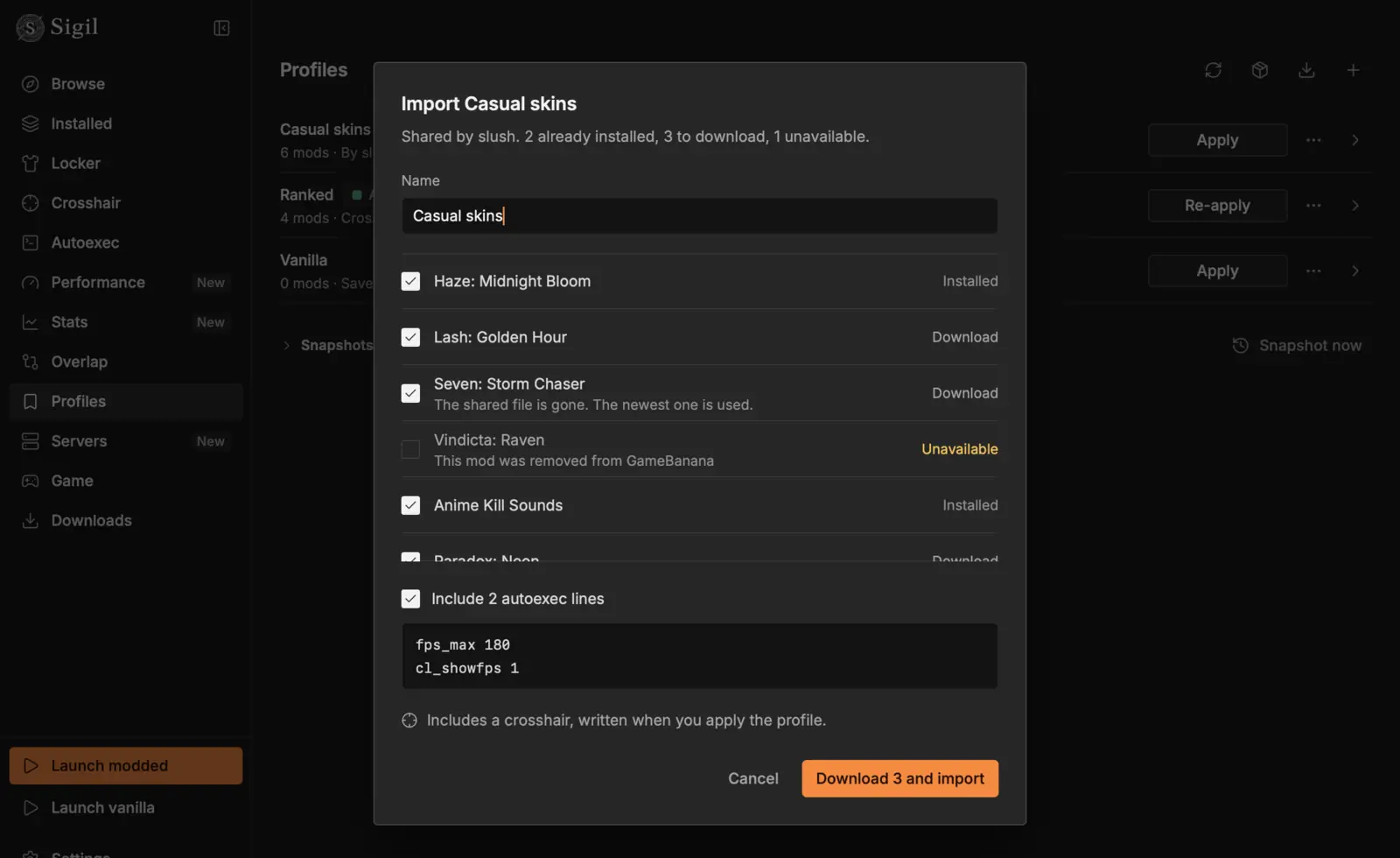
Share a profile as a code you can paste in chat, or as a file. When a friend imports it, Sigil looks up each mod and shows what will happen: already installed, to download, needs a different file, or no longer available on GameBanana. Missing mods download through the normal install path, and only the profile's mods are switched on. An import can replace one of your profiles or merge into it.
You can also paste many GameBanana links at once into Browse, skip NSFW or duplicate ones, and save the result as a profile. That is the quickest way to turn a list someone posted into a setup you can switch to.
A separate addons folder
A profile can keep its mods in its own addons folder instead of the normal one. Sigil mounts that folder for the profile and leaves your other mods untouched, which is handy for trying a setup without affecting the rest. The game reads at most 99 mods from one folder, so an isolated profile holds up to 99.
Download Sigil
Windows 10 and 11, 64-bit. Free and open source. No administrator rights needed.
Windows may show “Windows protected your PC” because the installer is not code signed yet. Choose More info, then Run anyway.