

Deadlock performance configs for more FPS
Many players run community configs that change engine settings in gameinfo.gi to trade looks for frames. Sigil's Performance page applies them for you and takes them off again cleanly.
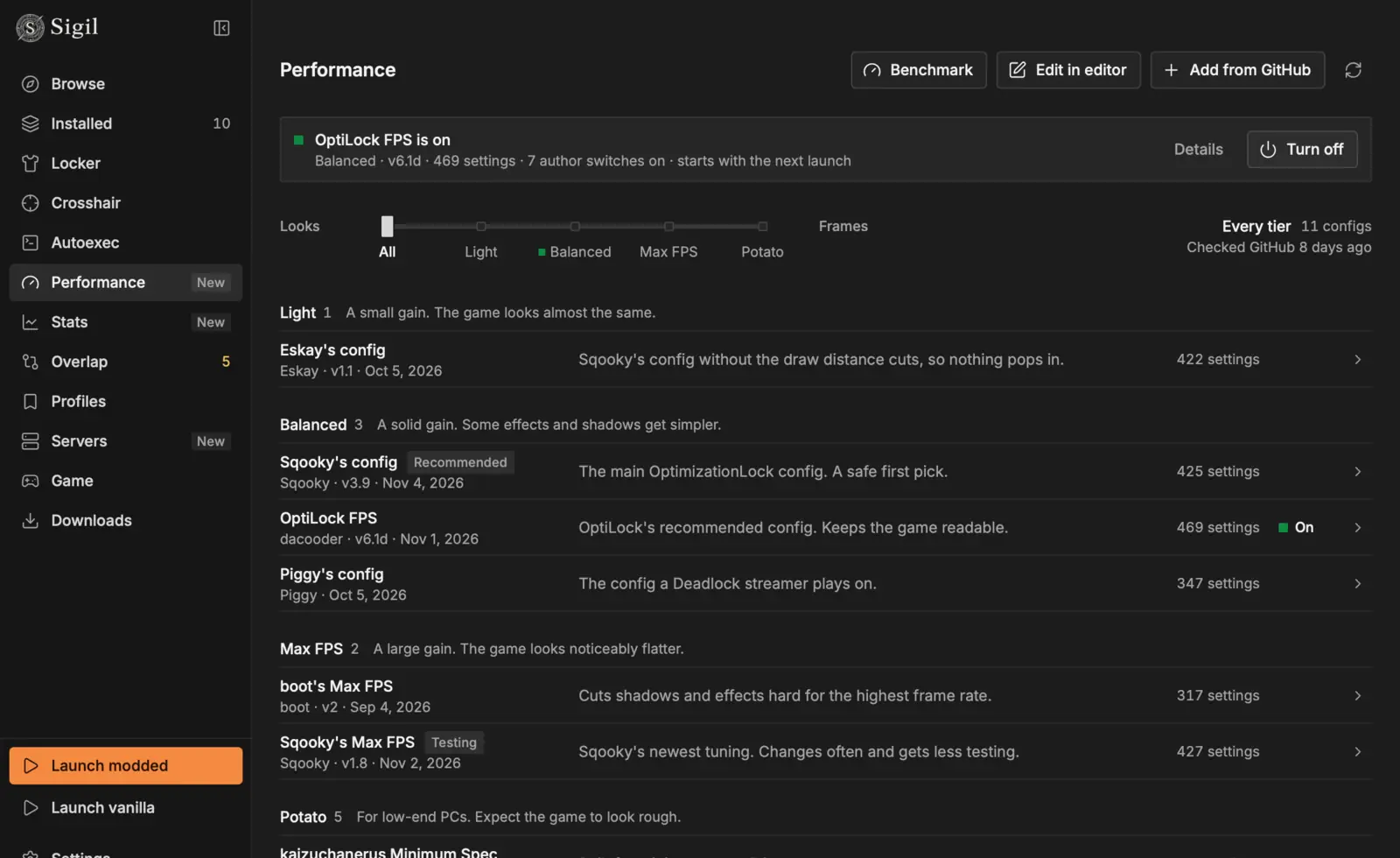
Choosing a config
Configs are grouped by how much they change, from Light (a small gain, the game looks almost the same) through Balanced and Max FPS to Potato (for low-end PCs, expect the game to look rough). Each entry shows its author, version, date and how many settings it changes. Pick a config and a version, then apply it. The active config shows at the top with Details and Turn off.
Your changes stay yours
Your own edits and the author's optional switches are kept as separate overrides, so a new version of a config does not wipe what you changed. Turning a config off puts the stock values back, and you can restore from a backup as well.
More sources
You can add presets from a public GitHub repository. Sigil reads the repository at a fixed commit and keeps a copy, so a preset never changes under you, and lets you choose a gameinfo file, a video settings file or both. GameBanana configs are available too, with a file review before anything is written. Hide the built-in presets if you only want your own.
The convar editor
The editor searches the game's console variables, edits values and keeps a history per config. Video settings can be adopted from the game, forgotten or restored. Settings files that arrive inside a mod are shown in a review with what each would change, and nothing is copied into the game until you apply it. Import and export move a config as a file or as text.
Benchmark
Performance, Benchmark is an early feature that runs the same replay section in the game and measures how it draws: average FPS, 1% and 0.1% lows and frame times, compared against vanilla or another run. It has been tested on recorded data so far, not yet with a real game, so treat its results as a preview.
A game update resets gameinfo.gi, which also removes a config's changes. Sigil notices the reset and offers to fix the file again.
Download Sigil
Windows 10 and 11, 64-bit. Free and open source. No administrator rights needed.
Windows may show “Windows protected your PC” because the installer is not code signed yet. Choose More info, then Run anyway.