

Deadlock skins for every hero in one Locker
The Locker is the view of your mods by hero. Each hero shows the skins and other mods you have for them, in load order, so you can see at a glance who is changed and how.
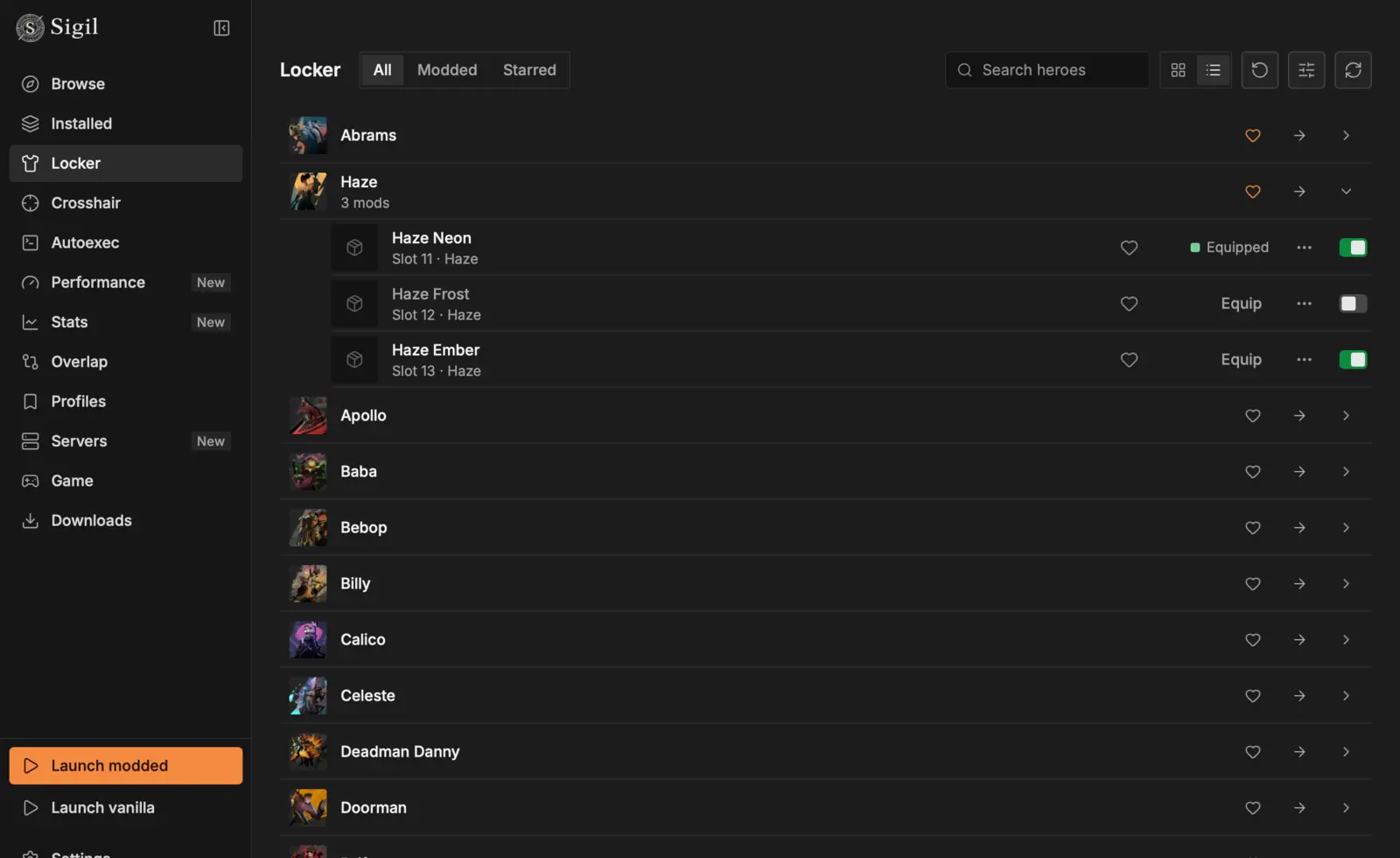
Equip a skin
Open a hero and press Equip on a skin. Equip switches that hero's other skins off, so only one model is in play. If you turn on several skins per hero in the Locker's options, Equip adds the skin instead of replacing the others, and the hero can shuffle between them each time you launch. The shuffle can be set per hero and per skin, with a Shuffle now button and a pool of skins to draw from.
Star the heroes you play most to keep them at the top, switch between a grid and a list, and search by hero name. When you install a second skin for a hero who already has one on, Sigil asks whether to keep both or only the new one.
More than skins
Each hero page also has sections for weapons and voice, ability sounds, the hero's own game sounds and the game's art. General covers everything that is not tied to one hero: soul containers, spirit urns, patrons, the Hideout, icons, HUD, effects, animations, maps, the announcer and killstreak music.
Other Locker tools:
- In-game card puts your own image on a hero's card art, built as a normal mod that arrives switched off.
- Game sounds plays the game's own sound events and can replace one with your audio, also built as a mod.
- Game art previews the game's textures and can replace a hero or ability icon.
- Cursors imports a cursor pack from a folder or archive, applies it and puts the stock cursors back.
3D preview
A 3D view of the hero with a mod on, with a before and after split, is in the app as an early feature. It has been checked on stand-ins so far and not yet against a real game install, so treat it as a preview of what is coming.
Profiles can keep the Locker's shuffle settings, so a saved setup brings back the same skin rotation.
Download Sigil
Windows 10 and 11, 64-bit. Free and open source. No administrator rights needed.
Windows may show “Windows protected your PC” because the installer is not code signed yet. Choose More info, then Run anyway.