

Deadlock crosshair editor and community crosshairs
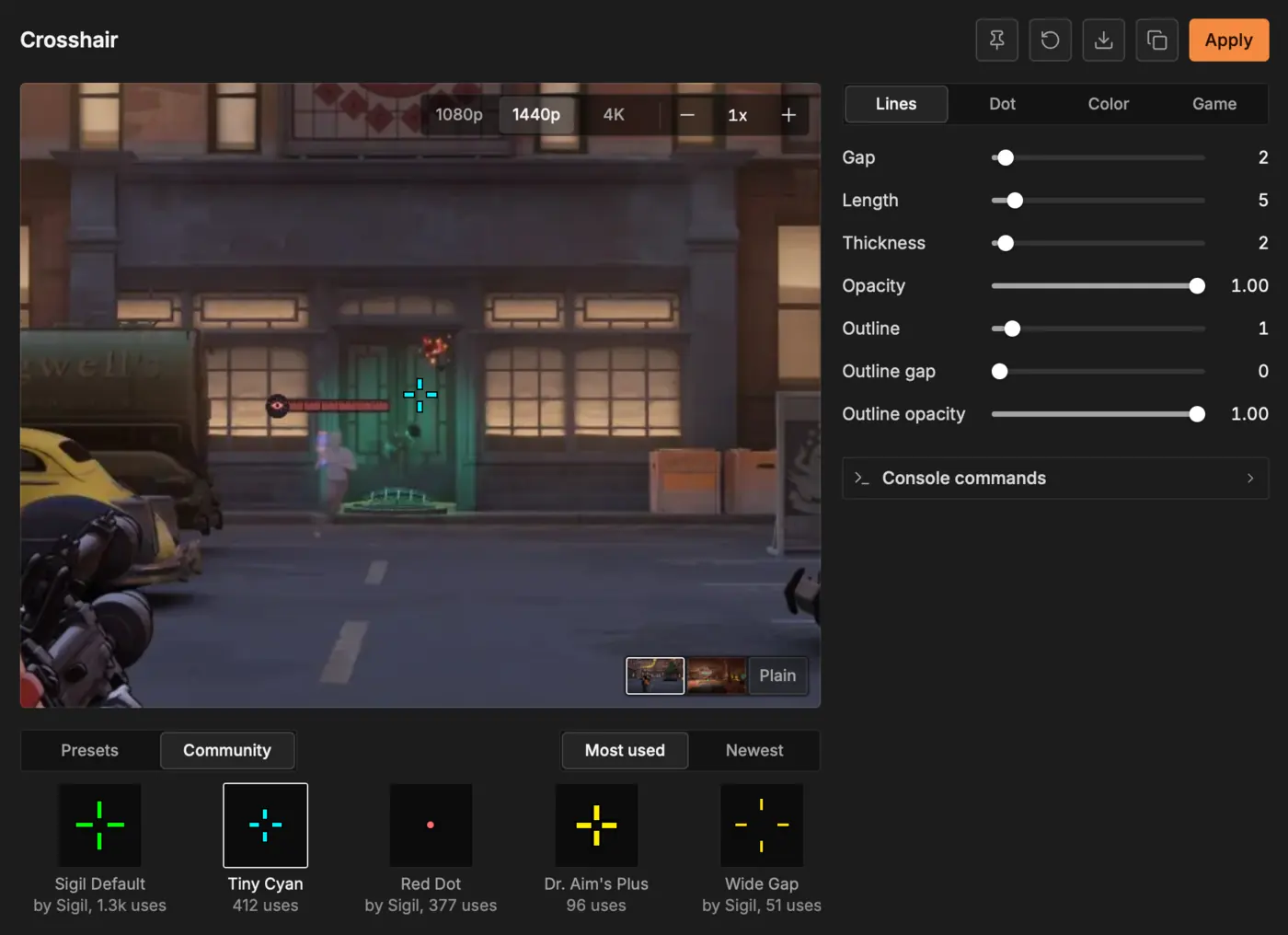
The Crosshair page draws your reticle at true scale over a game scene while you edit it, so what you see is what you get in a match.
Editing
Set the lines, gap, dot, colour, outline colour and thickness, and the preview updates as you move each slider. Switch the preview between 1080p, 1440p and 4K, zoom in, or pick a plain background. Presets can be saved, renamed and applied, and Pin window keeps the crosshair window above other windows while you compare.
Getting it into the game
Apply writes the crosshair's console commands into a marked block in autoexec.cfg and keeps a backup of the file first. Remove from autoexec clears that block again. Apply to hero settings writes it into the settings Deadlock keeps itself, and Import from game reads the crosshair already there. Copy commands puts the console lines on your clipboard if you would rather paste them yourself.
Sharing and importing
Copy code gives you a share code for the current crosshair. Import takes a share code, a single console line or a whole pasted config, so a crosshair a friend posted in chat is one paste away.
The community library
Community, beside Presets under the stage, lists crosshairs other players published and the ones Sigil ships, sorted by Most used or Newest, with how often each was applied. Pressing one loads it into the editor like a preset; nothing reaches the game until you press Apply. Right-click a crosshair to report it, and it disappears from your list at once.
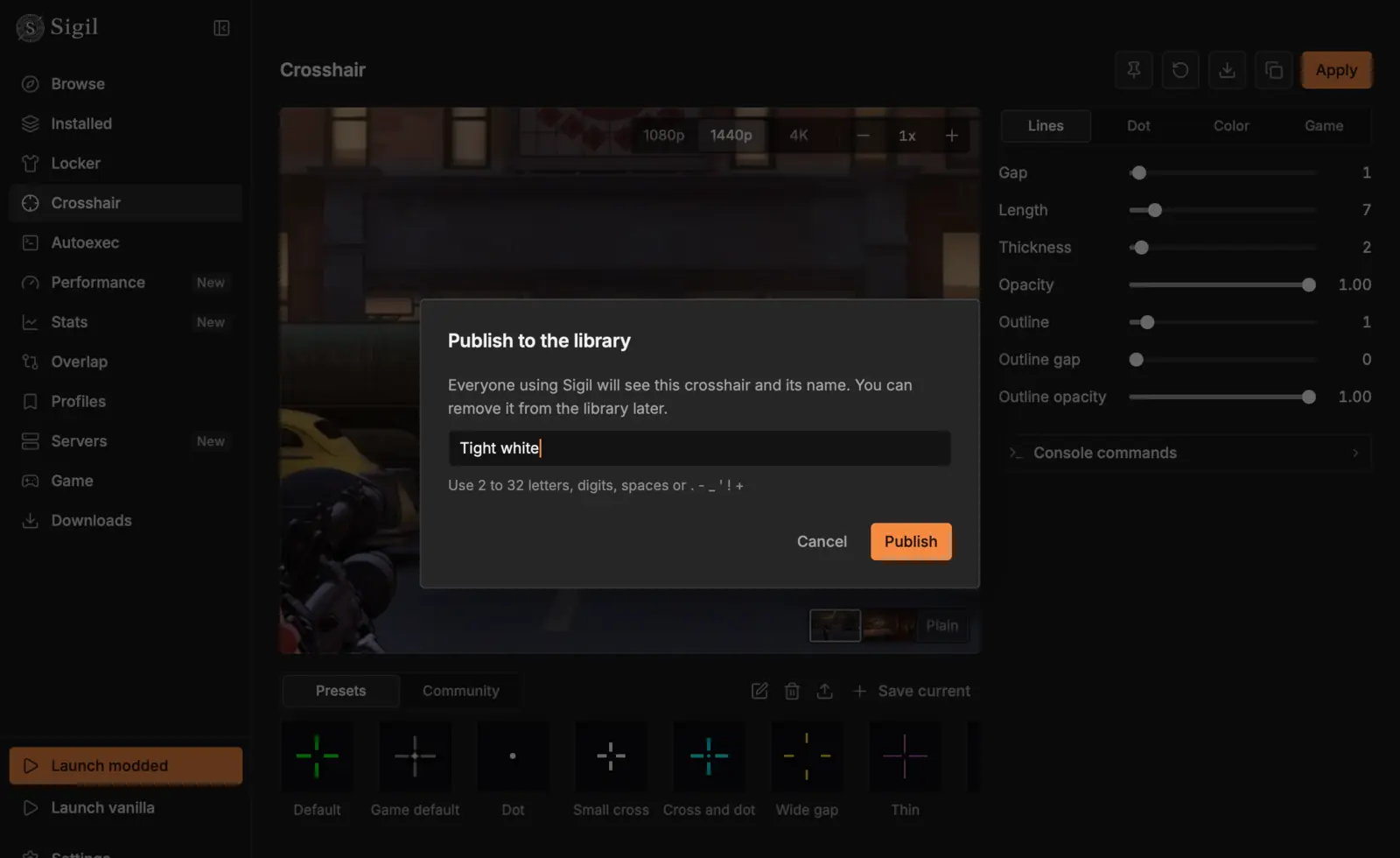
To share your own, load one of your saved presets and press the upload button beside Rename and Delete. Its name and settings become public for everyone using Sigil. Names are 2 to 32 characters and you can publish up to 3 a day. Remove from library takes it down again from the same PC. The library needs a connection; without one, your presets still work.
A profile can include a crosshair, so switching profiles can switch your reticle too.
Download Sigil
Windows 10 and 11, 64-bit. Free and open source. No administrator rights needed.
Windows may show “Windows protected your PC” because the installer is not code signed yet. Choose More info, then Run anyway.