

How to install Deadlock mods
Deadlock loads mods from VPK files in one folder of the game, but only when its gameinfo.gi file tells it to look there. This guide shows the manual way step by step, then how Sigil does the same for you. You do not need Sigil to follow it.
Before you start
Find Deadlock's install folder. In Steam, right-click Deadlock in your library and choose Manage, then Browse local files. Everything below happens inside the game/citadel folder there. The game's internal name is citadel.
A mod you download from GameBanana usually comes as an archive with one or more .vpk files inside. Those are what the game reads.
Install a mod by hand
- Close Deadlock.
- Open
game/citadeland create a folder namedaddonsif it is not there yet. - Copy the mod's
.vpkfile intoaddonsand rename it topakNN_dir.vpk, where NN is a two digit number from 01 to 99, for examplepak01_dir.vpk. Each mod needs its own number. - Open
game/citadel/gameinfo.giin a text editor. Find theSearchPathsblock and add the lineGame citadel/addonsdirectly above the lineGame citadel. Save the file. - Start Deadlock. The mod's files now replace the game's own.
The SearchPaths part should end up like this, with any other lines in it left as they were:
SearchPaths
{
    Game citadel/addons
    Game citadel
    Game core
}
Rules that trip people up
- Names must be exact. The game loads
pak01_dir.vpkthroughpak99_dir.vpk. Other names, such aspak1_dir.vpk,pak00_dir.vpk,pak100_dir.vpkor the mod's own name, are ignored without an error. - No subfolders. A VPK inside a folder within
addonsis ignored. - Lower number wins. When two mods replace the same file, the one with the lower number is used. Put the mod you care about most first.
- Big mods come in chunks. A mod split into a
_dirfile and numbered chunks must keep the whole set together under the same number. - At most 99. The game loads at most 99 VPKs from the folder.
- Only edit SearchPaths. Changing other parts of
gameinfo.gican block matchmaking. - Updates undo step 4. Every game update and every Steam "Verify integrity of game files" puts Valve's
gameinfo.giback. Your mods stay on disk but stop loading until you add the line again. See Deadlock mods not working after an update.
The same thing with Sigil
Sigil does each of these steps for you. The first time it starts, it finds the game and offers to add the gameinfo.gi line, keeping a backup of the file first. In Browse, Install downloads the mod from GameBanana, shows the files it is about to write and puts it in the first free slot with the right name. It switches mods on and off by renaming, changes the load order when you drag a card, and adds extra folders when you go past 99 mods.
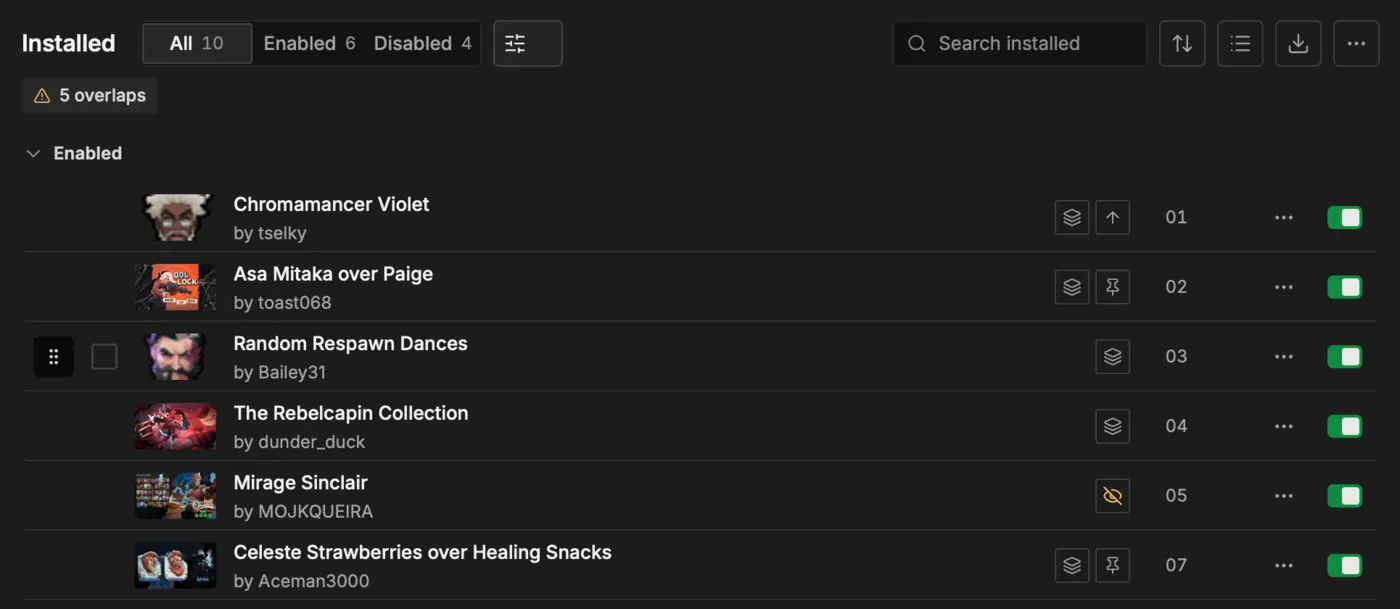
When an update resets gameinfo.gi, a banner offers to fix it again.
Download Sigil
Windows 10 and 11, 64-bit. Free and open source. No administrator rights needed.
Windows may show “Windows protected your PC” because the installer is not code signed yet. Choose More info, then Run anyway.