

Deadlock autoexec editor and console commands
Deadlock runs the console commands in game/citadel/cfg/autoexec.cfg when it starts. Sigil's Autoexec page edits that file directly, with a command library so you do not have to remember exact names.
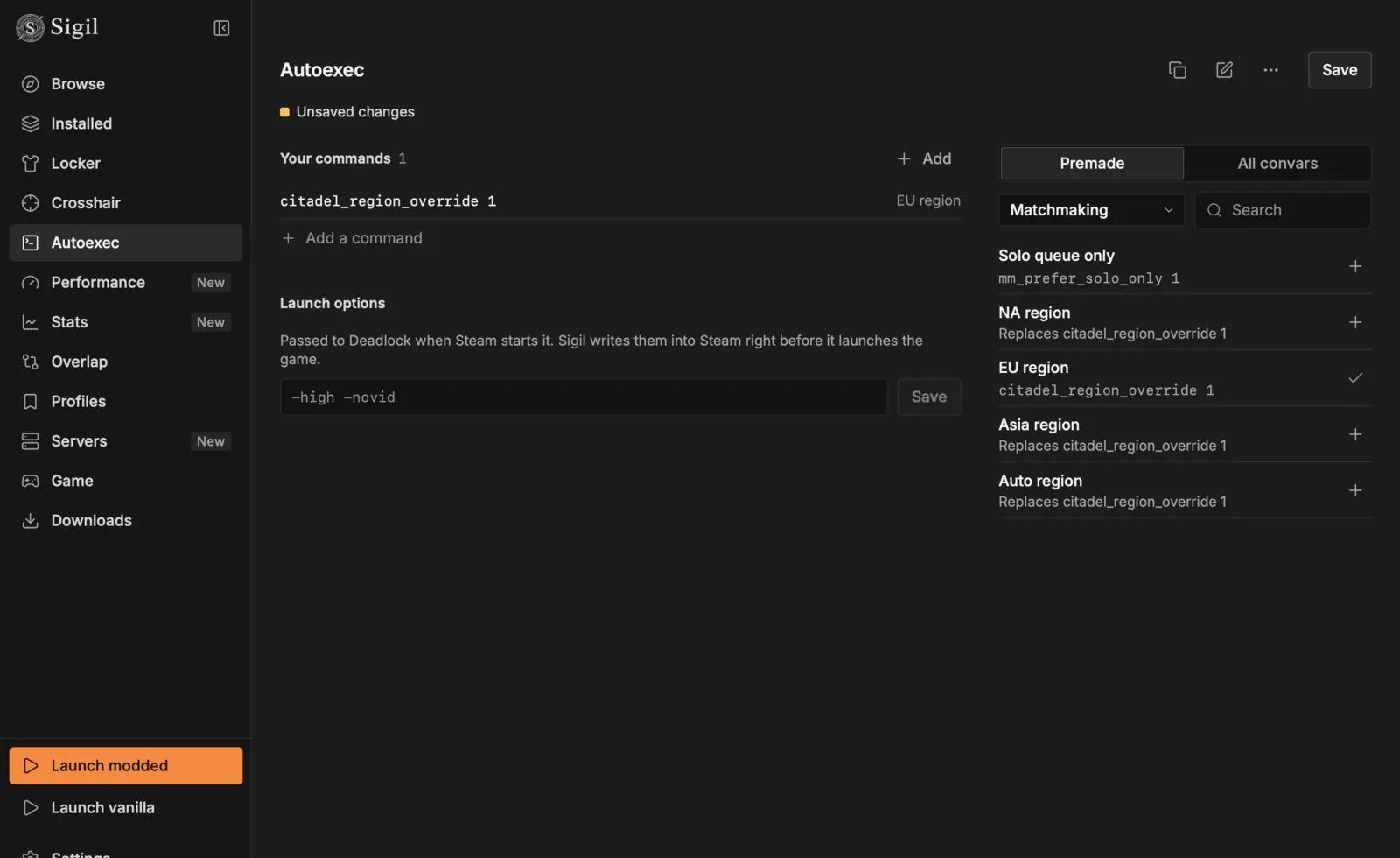
Your commands and Sigil's
Your own lines are shown as a list you can add to, change and remove. Sigil's own blocks, such as the crosshair it applies, are marked in the file and kept separate from yours, so editing one never overwrites the other. If the file does not exist yet, saving a command creates it.
Save keeps a backup of the file first. You can open the file in your chosen editor from the page, or from Game, Edit, if you would rather type it yourself.
The command library
The library on the right lists premade commands by category, such as matchmaking, with a search over every console variable the game knows. Each entry says what it does in plain words, and one press adds it to your file. A premade command that replaces another one says so, for example the matchmaking region settings, which all set the same variable.
Launch options
Steam launch options are saved separately on the same page. Sigil writes them into Steam right before a modded launch, so they apply without you opening Steam's game properties.
Profiles and sharing
A profile can carry autoexec lines, so switching to it can also switch commands such as a frame cap or the frame rate display. When you import a profile someone shared, Sigil shows the autoexec lines it would add and lets you leave them out.
Good to know
The game reads autoexec.cfg when it starts, so changes apply from the next launch. Your crosshair from the Crosshair page lands in its own marked block in the same file, and Remove from autoexec there clears only that block.
Download Sigil
Windows 10 and 11, 64-bit. Free and open source. No administrator rights needed.
Windows may show “Windows protected your PC” because the installer is not code signed yet. Choose More info, then Run anyway.