

Manage installed Deadlock mods, load order and conflicts
Installed is the list of every mod in your game's addons folder, including mods you put there by hand or with another tool.
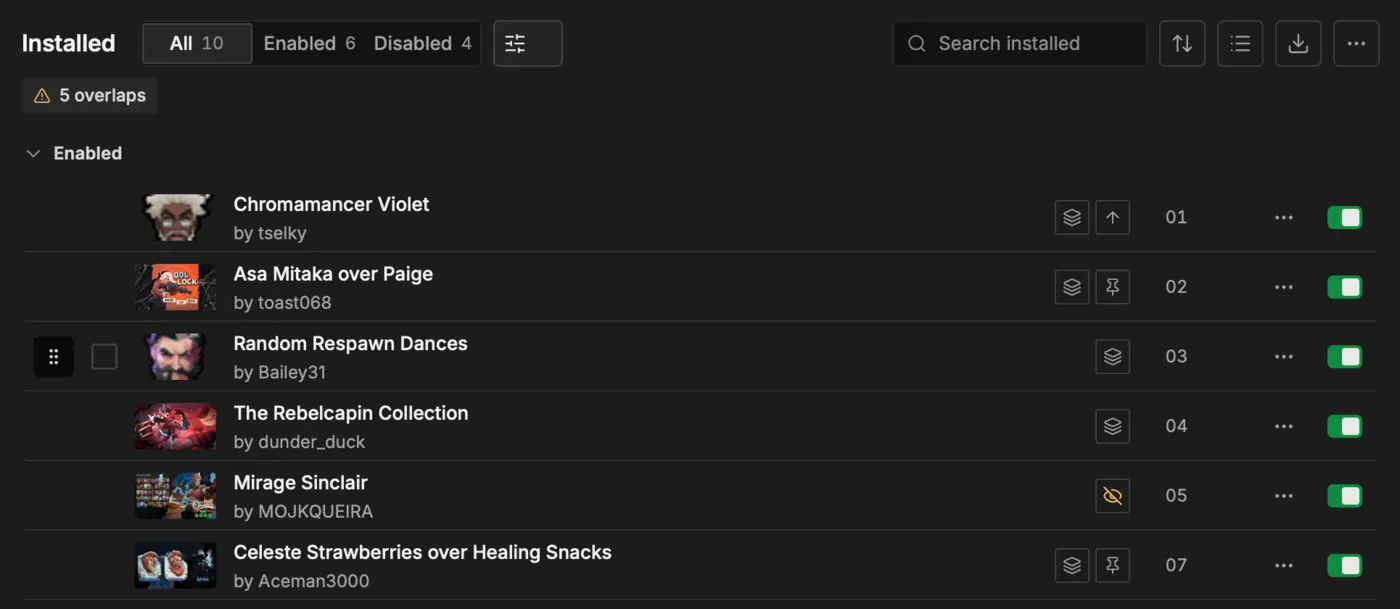
On, off and load order
Switch a mod on or off from its card. Search by name, author or slot, filter by on or off, source, hero, category or tag, and choose cards, small cards or a list. Select several mods to switch them together, delete them or tag them.
Deadlock loads mods from numbered files, and a lower number wins when two mods replace the same file. Drag a card to reorder, or use Load first, earlier and later from its menu. Sigil checks the whole move and puts everything back if a rename fails. The game reads at most 99 mods per folder; Sigil adds extra folders for slots 100 to 990 and mounts them for you.
Overlaps
Overlap shows every pair of mods that touch the same files and which one wins. Swap two slots, turn one off, or ignore a pair you are happy with. Cards carry a quiet mark when they share files with another mod, and the sidebar counts the overlaps.
While the game is running
Deadlock holds its mod files open while it runs. Turning a mod off or deleting it then asks whether to do it when Deadlock closes. Waiting changes show a clock mark, and they run in order once the game exits. Turning a mod on never waits: it loads on the next start.
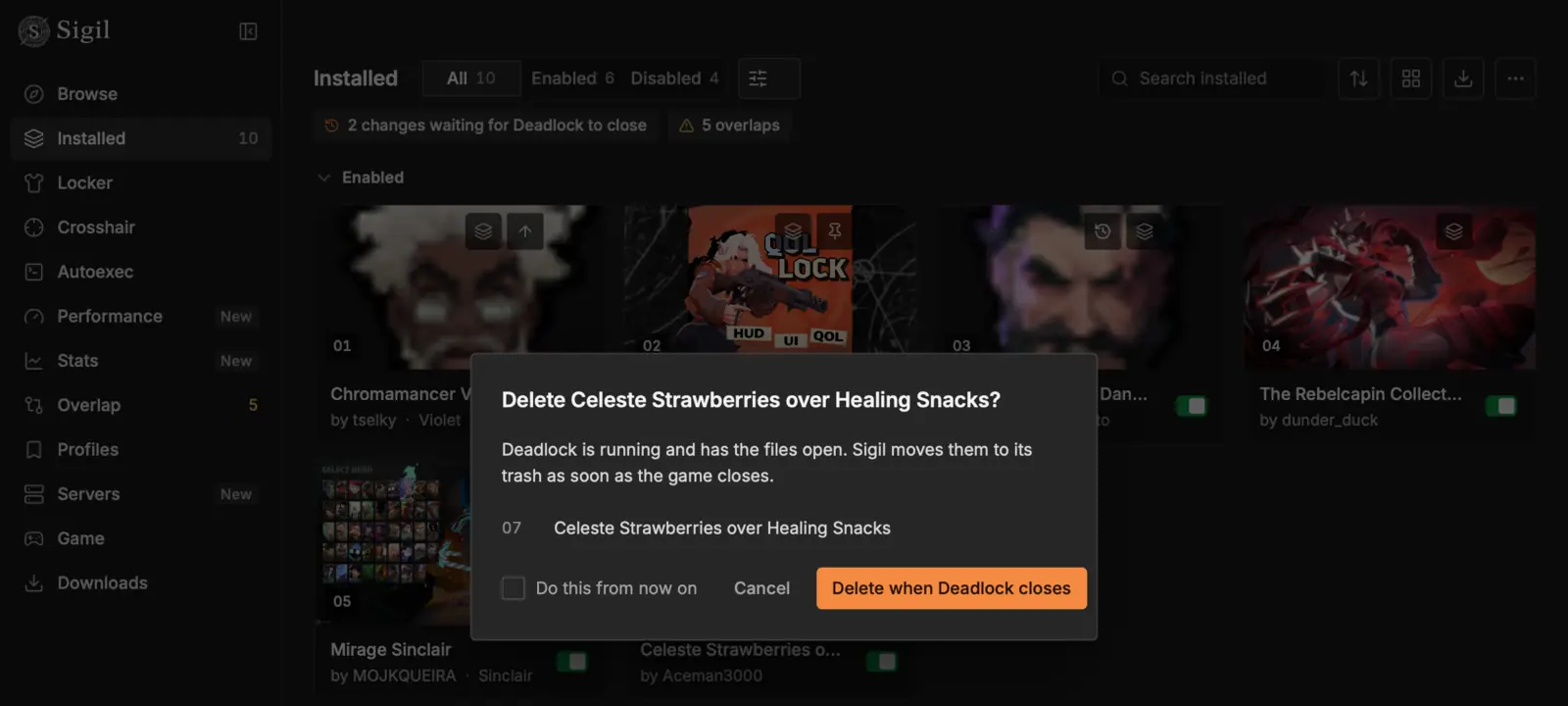
After a game update
Updates move and change game files, and mods made for an older build can stop working without an error. The compatibility review lists mods that ship paths the game moved or removed, stale hero models or game data, and offers Repair per mod, Fix all and Revert. You can also turn off every mod with outdated data in one step.
Updates, backups and the trash
Installed checks for newer files when you open it and shows an update chip on each mod that has one. Update all can take every mod, only enabled ones or only disabled ones. The copy an update replaces is kept under Backups, and deleted mods go to Sigil's trash with Undo.
Download Sigil
Windows 10 and 11, 64-bit. Free and open source. No administrator rights needed.
Windows may show “Windows protected your PC” because the installer is not code signed yet. Choose More info, then Run anyway.